![Text.png]](https://supporthub.realtracs.com/hs-fs/hubfs/Text.png?height=40&name=Text.png)
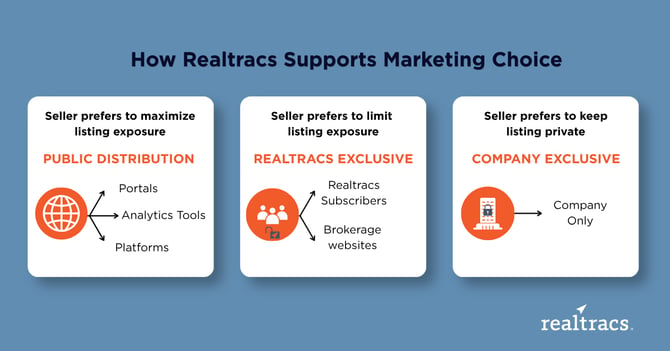
Three options for marketing exposure:
-
Company Exclusive
-
Realtracs Exclusive, where cooperation begins
-
Public Distribution
Seller scenario #1: I have serious privacy concerns, and I don’t want my listing on the Internet.
Option 1: Enter the (published) listing as a Company Exclusive.
-
Only agents within the Company will see the listing.
-
No cooperation.
Option 2: Enter the listing as a Realtracs Exclusive.
-
Only agents in Realtracs will see the listing.
-
Full cooperation, no public distribution.
Seller scenario #2: I want to test the list price without affecting days on market or showing price change history.
Enter the listing as a Realtracs Exclusive with a status of Coming Soon/Hold.
-
This allows all agents in Realtracs the ability to see the listing and enables the listing agent to collect feedback.
-
Full cooperation, limited listing exposure.
Seller scenario #3: I want to test the list price with actual buyers without affecting days on market or showing price change history.
Option 1: Enter the listing as a Realtracs Exclusive with a status of Coming Soon/Hold and post on select portals.
-
This allows all agents in Realtracs the ability to see the listing and enables the listing agent to collect feedback.
-
It also gives the Company control over where the listing is distributed.
-
Full cooperation, low listing exposure.
Option 2: Enter the listing with Public Distribution and with a status of Coming Soon/Hold.
-
This allows all agents and all buyers to see the listing on all public websites.*
-
Full cooperation, maximum listing exposure.
* While Realtracs does not track price history and days on market for listings in Coming Soon/Hold, many websites display “Days on [the site].