![Text.png]](https://supporthub.realtracs.com/hs-fs/hubfs/Text.png?height=40&name=Text.png)
What is it?
A Listing Alert Campaign gives agents the ability to automatically alert their clients via email and/or push notification when a listing that meets their specific criteria comes on the market. This includes new listings, back to active listings, price changes of $1K or more and status changes.
When setting up your client for a Listing Alert Campaign, you are inviting them to be a part of an interactive Realtracs portal. The client portal is your clients place in Realtracs to view all listings you have sent them through Listing Alert as well as the ability to search listings on Realtracs and communicate with you on those listings.
-
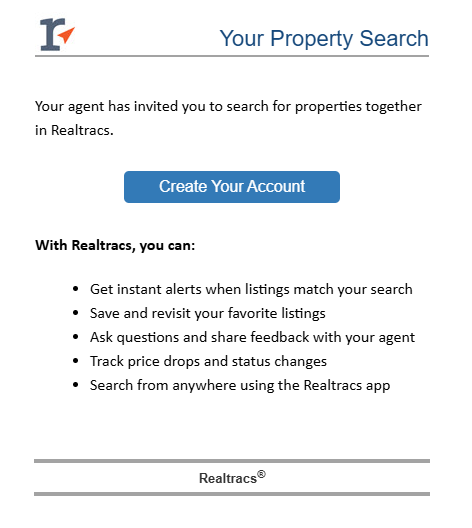
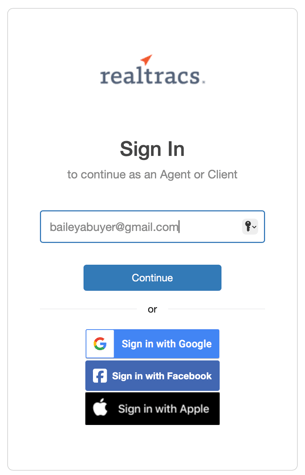
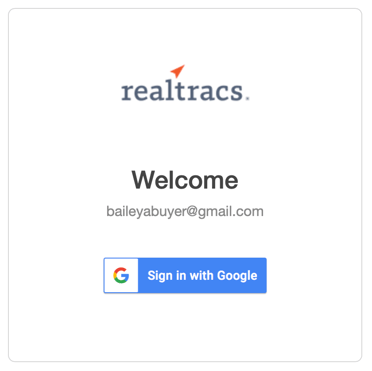
To get set up, they only need to click Create Your Account in the 1st email they receive and then they can connect thru email, Google, Facebook or Apple to sign into their own portal on realtracs.com! The Create Your Account button will be at the top of every listing email until they set it up.
*How to check if your client has created their account*
To see if your client has created their account, go to their Contact Detail Page in My Contacts under the Engage tab. If they have not created an account, you can re-send the Welcome Email with the 'Send Invite' button. 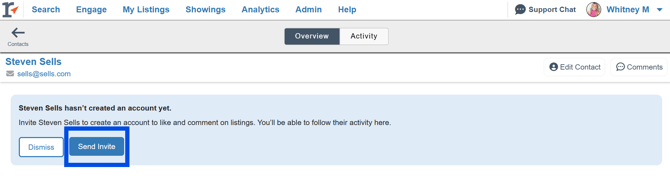
-
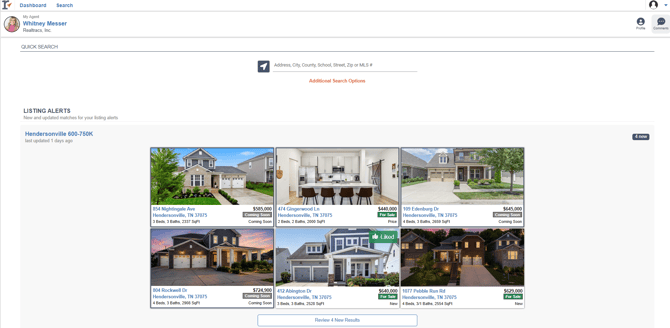
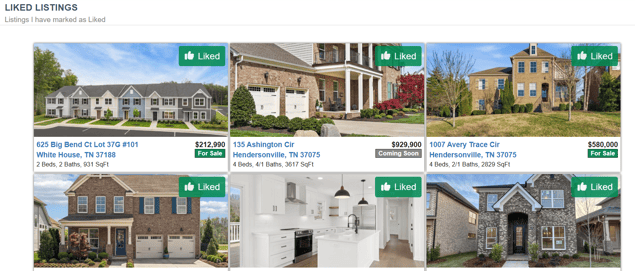
Upon entering their portal, your client will open up to their dashboard. From their dashboard they can see any Listing Alert you have set up for them as well as all the listings they have "liked" while in the portal. They can also easily access, view and respond to any comments left between you and them; as well as have access to search for on-market properties through the Quick Search or by clicking on Additional Search Options.
Viewing Listings From a Listing Alert:
-
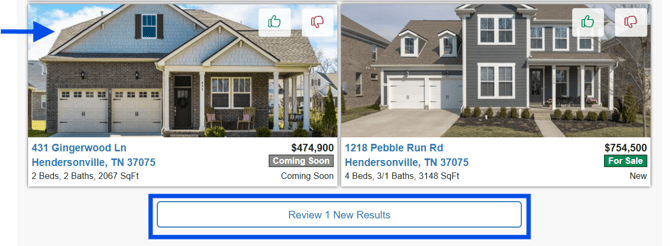
From the Listing Alerts section, the most recent listing results will be displayed on the dashboard to easily stay on top of the search. To view a listing the client can click on a single listing or click on the View Results button.
-
When viewing the listings, the newest results will be displayed by default. To access previously viewed listing, click on View All. They can view the listings in the Map, List or Grid view.
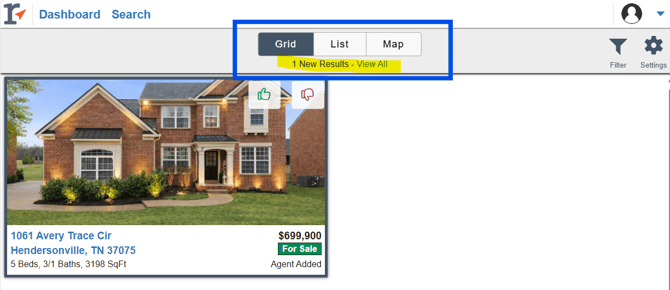
**PLEASE NOTE** Contacts/Clients see the List layout their agent sets up.
-
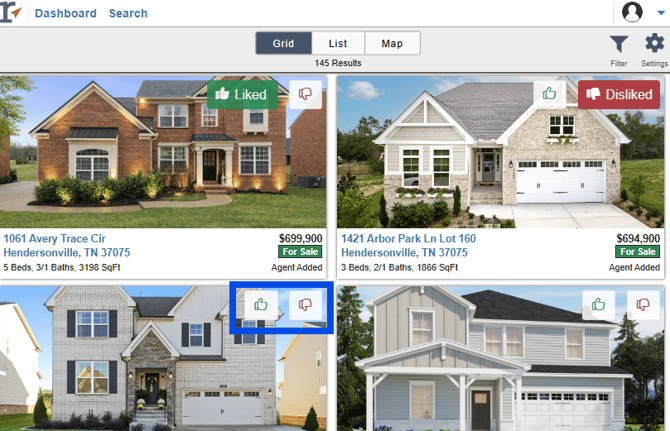
They can like or dislike a listing by clicking on the thumbs up/down icon displayed on each listing.
-
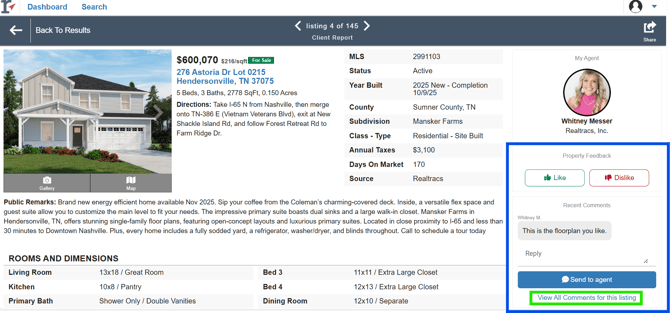
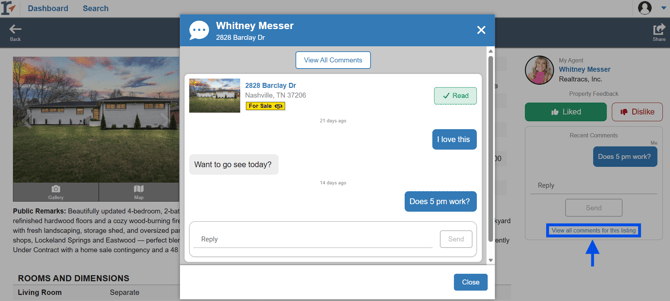
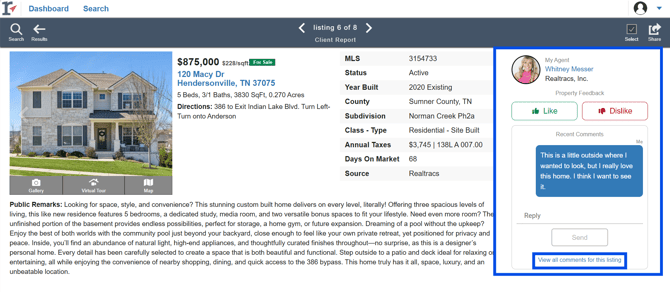
In the full listing report, they can leave comments for their agent or view any comments their agent left for them. To see all the comments on a listing, click on View All Comments for this listing.
-
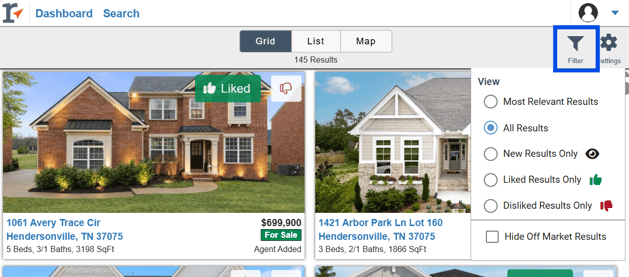
Filter listing results by utilizing the Filter icon on the results page.
To view their notification preferences or remove the search from their account, your client can click on the Settings icon. 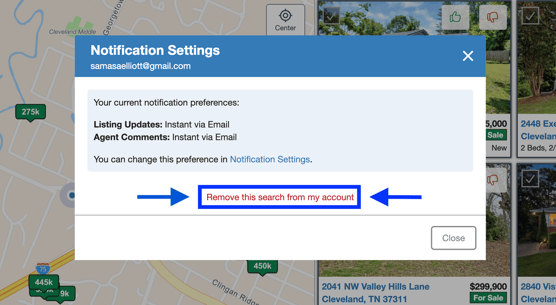
Searching in the portal:
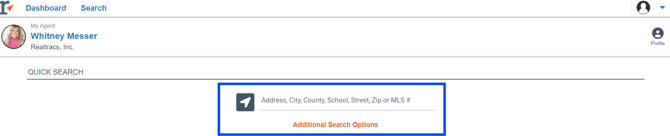
- From the dashboard, your client can search all on-market listings from the Quick Search or Additional Search Options.
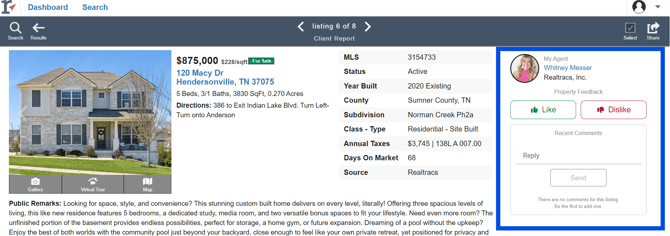
- When viewing a listing from an organic search, your client has the ability to "Like" or "Dislike" the listing just as they can with the listings from the Listing Alert. They can also leave a comment on that listing as well. This allows your client to be able to engage with listings across the entire platform! You will be highlighted as their agent on the listing report and they will not see the listing agent information.
Client Portal Account Settings:
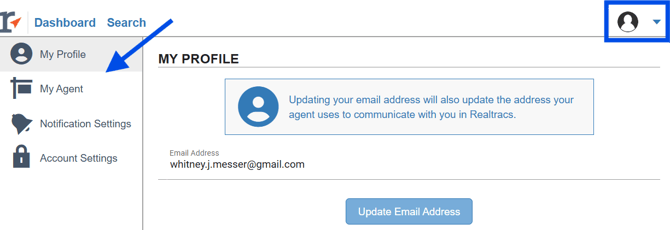
- To access or change any of their account settings, hover over the profile icon in the upper right hand corner. From here they can update their email address, assign a primary agent if receiving listing alerts from multiple agents, change their notification preferences and delete the account.
If your Client is struggling to log into Realtracs:
- Google
- If your client linked their User Portal account with a Google account other than the one that they're receiving Realtracs Listing Alerts in, they may experience an issue logging in. Realtracs recommends that they perform the following:
- Navigate to https://www.google.com/ in a new tab within their web browser
- In the top-right corner of Google's webpage, click on their Google profile image.
- Choose the 'Sign out of all accounts' option.
- Next, have them return to the User Portal login page and choose 'Sign in with Google'.
- Selecting 'Use another account' will allow them to enter the Google account information for the account that they've previously linked.
- If your client linked their User Portal account with a Google account other than the one that they're receiving Realtracs Listing Alerts in, they may experience an issue logging in. Realtracs recommends that they perform the following:
- Facebook
- If they're currently logged into Facebook with an account other than the one linked to our User Portal, they would first need to sign out of that account before logging within the correct account. RealTracs recommends that they perform the following:
- Navigate to https://www.facebook.com/ in a new tab within their web browser.
- In the top-right corner of Facebook, click on the '?' drop-down.
- Next, choose the 'Log Out' option.
- Next, have them return to the User Portal login page and choose 'Sign in with Facebook'.
- This will prompt them to input the Facebook login information associated with the account that they've previously linked.
- If they're currently logged into Facebook with an account other than the one linked to our User Portal, they would first need to sign out of that account before logging within the correct account. RealTracs recommends that they perform the following:
📢 Still Need Assistance? Contact our Support Team!
💬 Chat with us! Click the chat bubble at the top right.
🕗 Mon - Fri: 7am - 6pm CST Sat: 9am - 4pm CST
✉️ support@realtracs.com 📞 p: 615-385-0777